
Organize every CSS snippet
Keep CSS in named snippets with clear status, priority, targeting, responsive settings, search, filters, duplication, sorting, pagination, and bulk actions.
Custom CSS for WordPress
Organize custom CSS into clear snippets, target the exact pages or WooCommerce areas you need, and control responsive behavior without scattering styles across your site.
Free · GPL-2.0-or-later · WordPress 6.4+ · PHP 7.4+
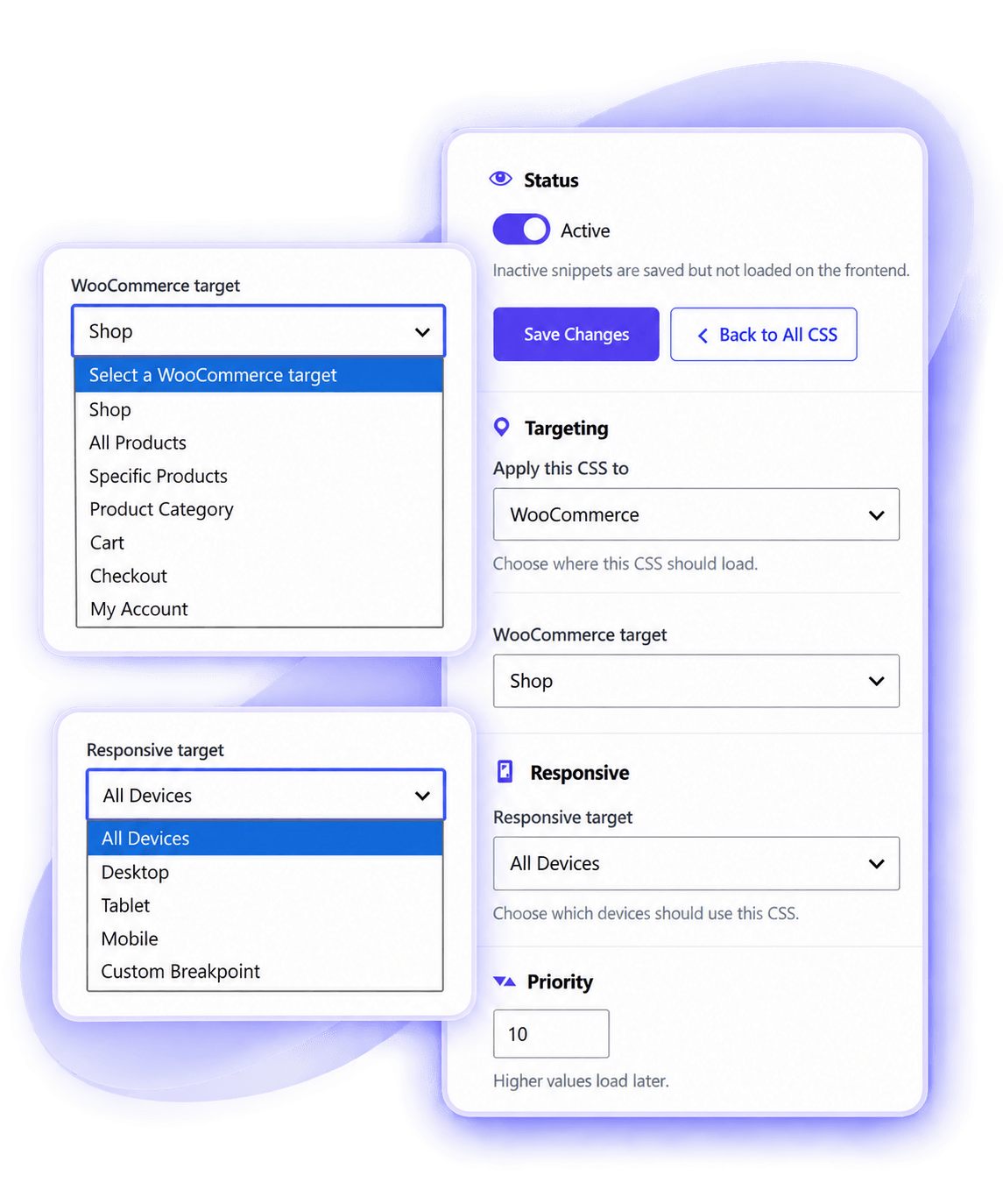
Core workflows
CSSFlow turns scattered CSS into a clear workflow: create a snippet, choose where it applies, control its responsive range, and manage it later from one place.
Keep CSS in named snippets with clear status, priority, targeting, responsive settings, search, filters, duplication, sorting, pagination, and bulk actions.
Apply CSS across the entire site, selected content, a content type, WordPress special pages, or supported WooCommerce areas.
Use All Devices, Mobile, Tablet, Desktop, or a reusable custom breakpoint. CSSFlow creates the required media-query wrapper.
Export JSON backups, preview imports, download compiled CSS, import Additional CSS safely, regenerate output, and review output health.
See CSSFlow in action
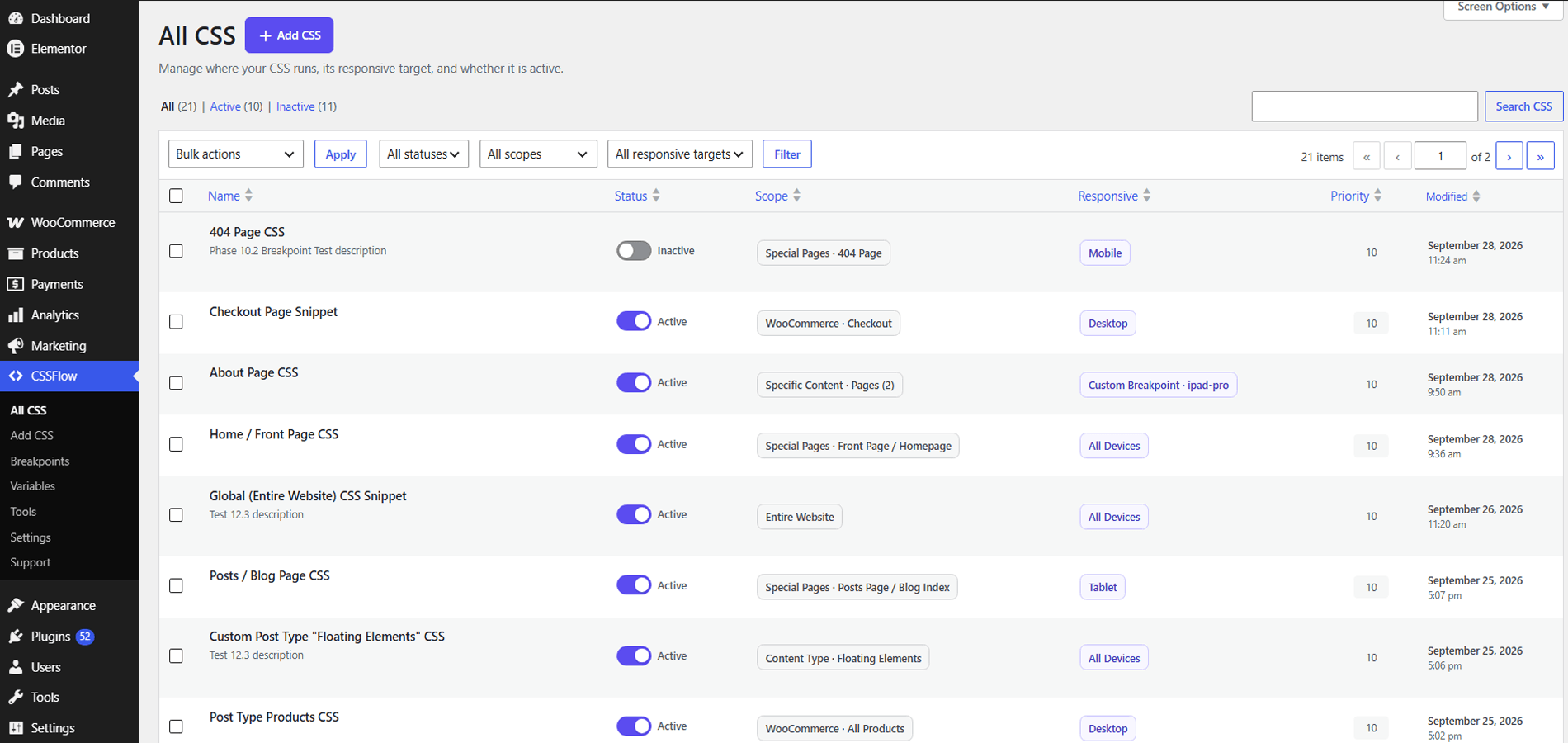
Move through CSSFlow in a natural order — from managing snippets and targeting CSS to breakpoints, variables, tools, settings, and support.
1 / 15
Search, filter, sort, change status, review targeting, and manage snippets from one organized screen.
More built in
The supporting tools stay focused on CSS management rather than turning CSSFlow into a general code-snippet platform.
Create global variables for colors, spacing, widths, fonts, calculations, gradients, and other valid CSS values.
Use WordPress's enhanced CSS editor when available, with a normal textarea fallback and advisory CSS Problems checks.
Use generated CSS files by default or choose inline CSS, with automatic inline fallback when file output is unavailable.
Temporarily suppress CSSFlow frontend CSS through a configuration constant without deleting or disabling your snippets.
Review CSSFlow version, snippet counts, output method, output status, Safe Mode, WooCommerce integration, and breakpoint information.
CSSFlow adds no frontend JavaScript, sends no telemetry, and does not require a remote account or cloud service.
Simple workflow
Give your CSS a clear name and write the styles you need.
Select the site, content, special page, or WooCommerce context.
Use all devices, a built-in device range, or a custom breakpoint.
Activate when ready, then edit, duplicate, filter, back up, or disable later.
Already using WordPress Additional CSS?
Developer friendly
CSSFlow 1.0 exposes a small deliberate developer API around capabilities, targeting providers, compilation, limits, and support resources.
Open the Developer Guide →function qwd_cssflow_capability( $capability ) {
return 'manage_options';
}
add_filter(
'cssflow_edit_capability',
'qwd_cssflow_capability'
);Frequently asked questions
No. CSSFlow stores its own snippet data and outputs CSS without editing your theme files.
No. WooCommerce-specific targeting appears only when WooCommerce is available.
CSSFlow can automatically fall back to inline output so saved CSS can continue to load.
No. Deactivation preserves CSSFlow snippets and configuration.
No. CSSFlow does not require frontend JavaScript and does not include telemetry or remote tracking.
Ready to go deeper?
Follow practical guides for snippets, targeting, responsive CSS, variables, tools, Safe Mode, troubleshooting, and developer hooks.